
I do a lot of presenting. On big screens, small screens, remote screens, on stages - you name it. I also see a lot of other people presenting, and they do something that drives me nuts: when screen sharing, they use a tiny, boring, default mouse cursor. Seriously. That's it. That's the complaint.
Make It Weird
Monitors are bigger than ever (both in resolution and diagonal size), but mouse cursors haven't really kept up. Squinting shouldn't be necessary to keep up with your screen share. My advice? Make your cursor weird.
Bump up your cursor size and add some color so it stands out on larger displays. This provides instant discoverability for you and your audience.
Yes, most operating systems have a way to highlight a cursor on demand, but a large, colorful cursor is easy to track - letting you direct attention to features in real time.
In addition to color and size, consider using inverted colors (if supported) to help further highlight your cursor.
Before and After
Let's see this in action. Here's a default cursor:

And now my preferred large, pink cursor:

See how easy it is to keep up with the second one?
Embiggen Your Cursors
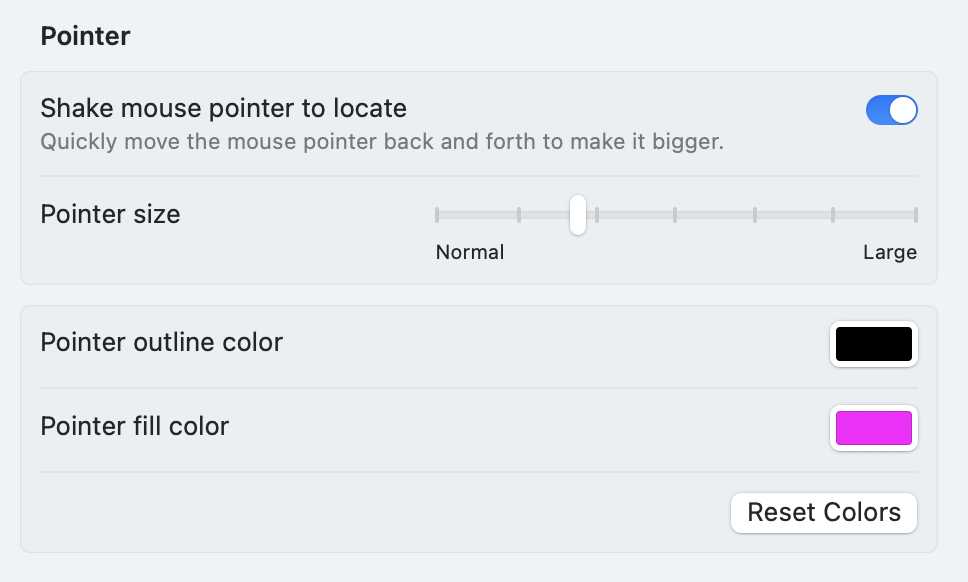
On MacOS, cursor options are under Settings > Accessibility > Display > Pointer:
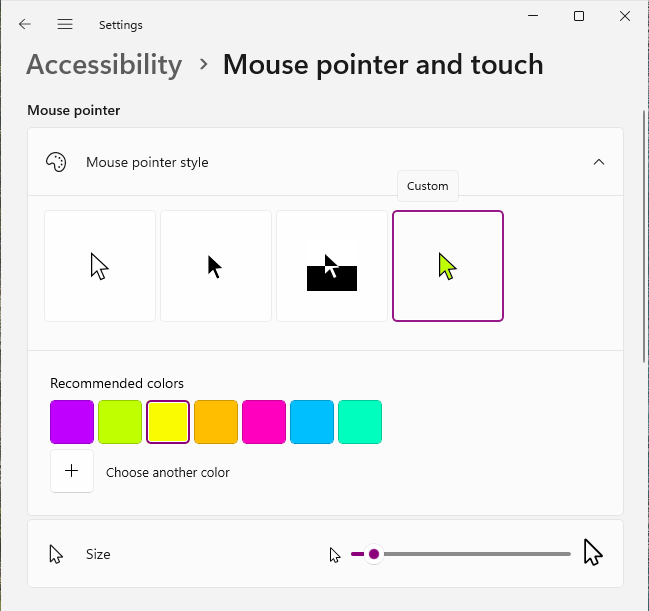
Windows 11 makes cursor adjustments almost... fun. Check out Settings > Accessibility > Mouse pointer and touch
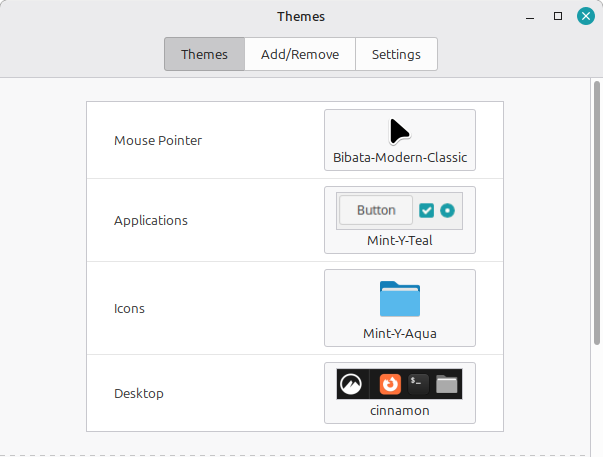
Bonus round: because I'm a Linux Mint guy now, changing cursor size/color involves downloading cursor themes from... basically anywhere. I'd start with Gnome Look. Once downloaded, copy the icon folder to /usr/share/icons and select the new cursor in Themes settings:
Boom. Weird, easy-to-follow cursors for all.